DMARC monitoring for Microsoft 365 admins
Check your domain's DMARC, SPF and DKIM records in a few seconds and see what to fix first. Then watch every service that sends as your domain, by name, before you move to enforcement.
What should a Microsoft 365 admin check next?
Outlook's sender rules
Since May 5, 2025, Microsoft requires SPF, DKIM and DMARC from domains that send more than 5,000 messages a day to Outlook.com consumer addresses. Mail that fails can bounce with 550 5.7.515.
Read Microsoft's requirementsEvery service that sends as you
Exchange Online is rarely the only sender. DMARCguard reads your DMARC aggregate reports and names the others, such as a newsletter tool, a CRM or a ticketing system, so you can fix their SPF and DKIM before a stricter policy blocks them.
How DMARC reports workEnforcement at a safe pace
Start at p=none, watch the reports, and move to quarantine and reject when nothing legitimate fails. DMARCguard shows which senders still fail and what to change for each.
Start monitoring freeHow DMARC Monitoring Works
Discover
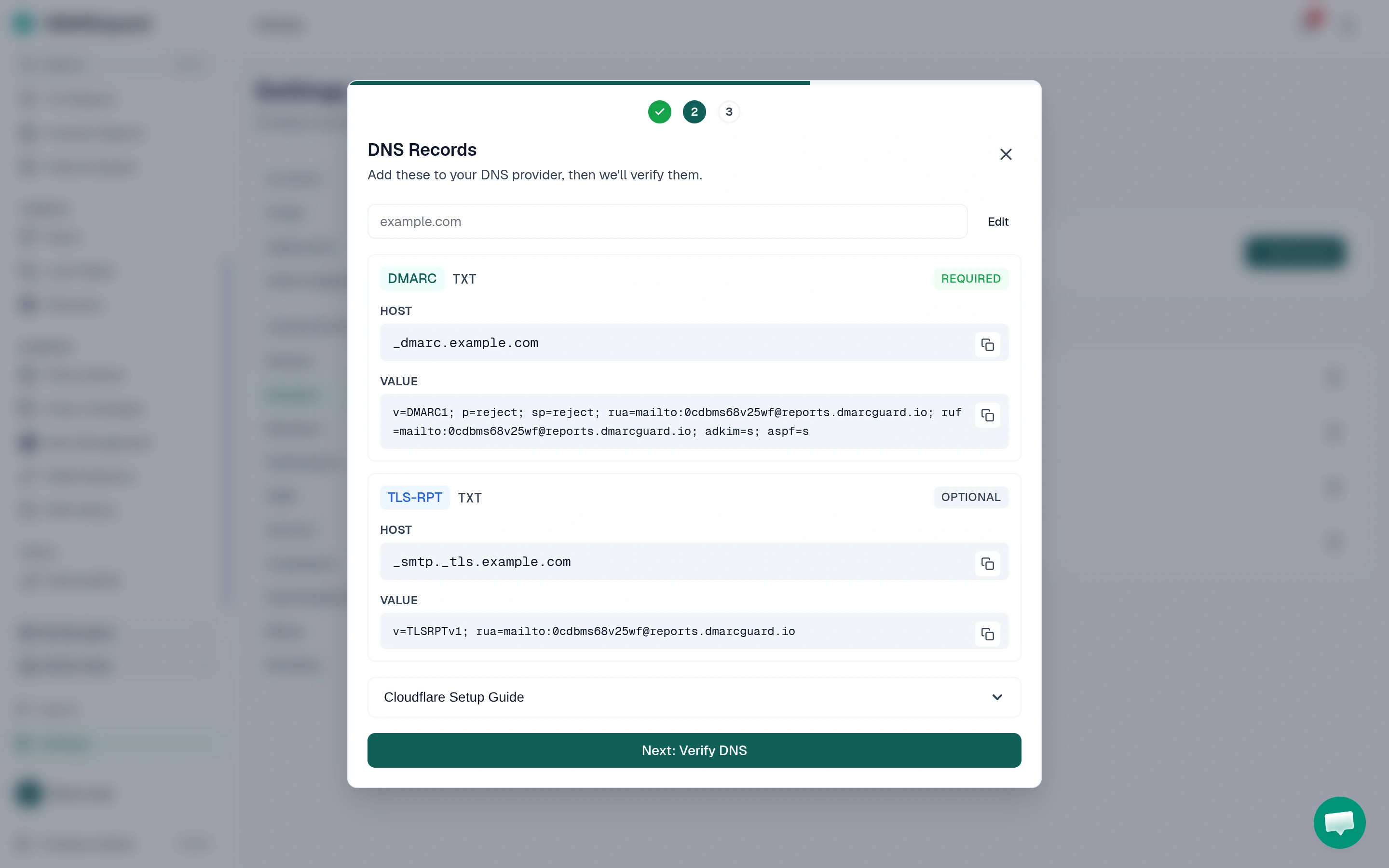
Add your domain and publish two DNS records. We scan your configuration and start collecting DMARC aggregate reports within minutes.
Configure
See exactly what’s misconfigured. Get copy-paste DNS fixes for SPF, DKIM, and DMARC — with our policy wizard guiding each step.

Enforce
Graduate from p=none to p=reject with confidence. Monitor ongoing compliance and get alerted when anything changes.
Our guided policy wizard moves you from p=none to p=reject at a safe pace.

Start free. Go Pro for everything.
Start free on 2 domains. Go Pro for everything — $29/mo, includes 2 domains, then $15/domain (3–10).
Unlimited email volume on every plan, even Free.
Hobbyist
For individuals getting started
Commercial use welcome
- 2 domains
- 7 protocols
- 30 days data retention
- 5 AI queries/day
- Community support
Pro
Everything you need for email security
Includes 2 domains · 3–10: $15/domain · 11+: $10/domain
- Per-domain pricing, no caps
- 10 team members
- 1 year data retention
- All 9 protocols
- Unlimited AI
- Email support (24hr)
Enterprise
Unlimited scale with dedicated support
Custom plan · Dedicated support
- Unlimited domains
- Unlimited users
- Retention you control
- SSO, SAML and SCIM on request
- SIEM integrations
- Priority support (4hr SLA)
Prices exclude VAT and sales tax, which are calculated and added at checkout based on your billing location.
Google, Yahoo, and Microsoft are already rejecting non-compliant senders.
Your domain is either compliant — or it's a liability.
PCI DSS v4.0.1 Requirement 5.4.1 has been mandatory since March 31, 2025. NIS2 fines reach €10M or 2% of worldwide annual turnover, whichever is higher. The enforcement deadline isn't coming — it's here.
Protect Your Domain — FreeNo credit card. No sales call. Full protocol coverage in 2 minutes.